
12 Midjourney Texture Prompts and Formulas
MidassAI Team · July 11, 2026 · 5 min read
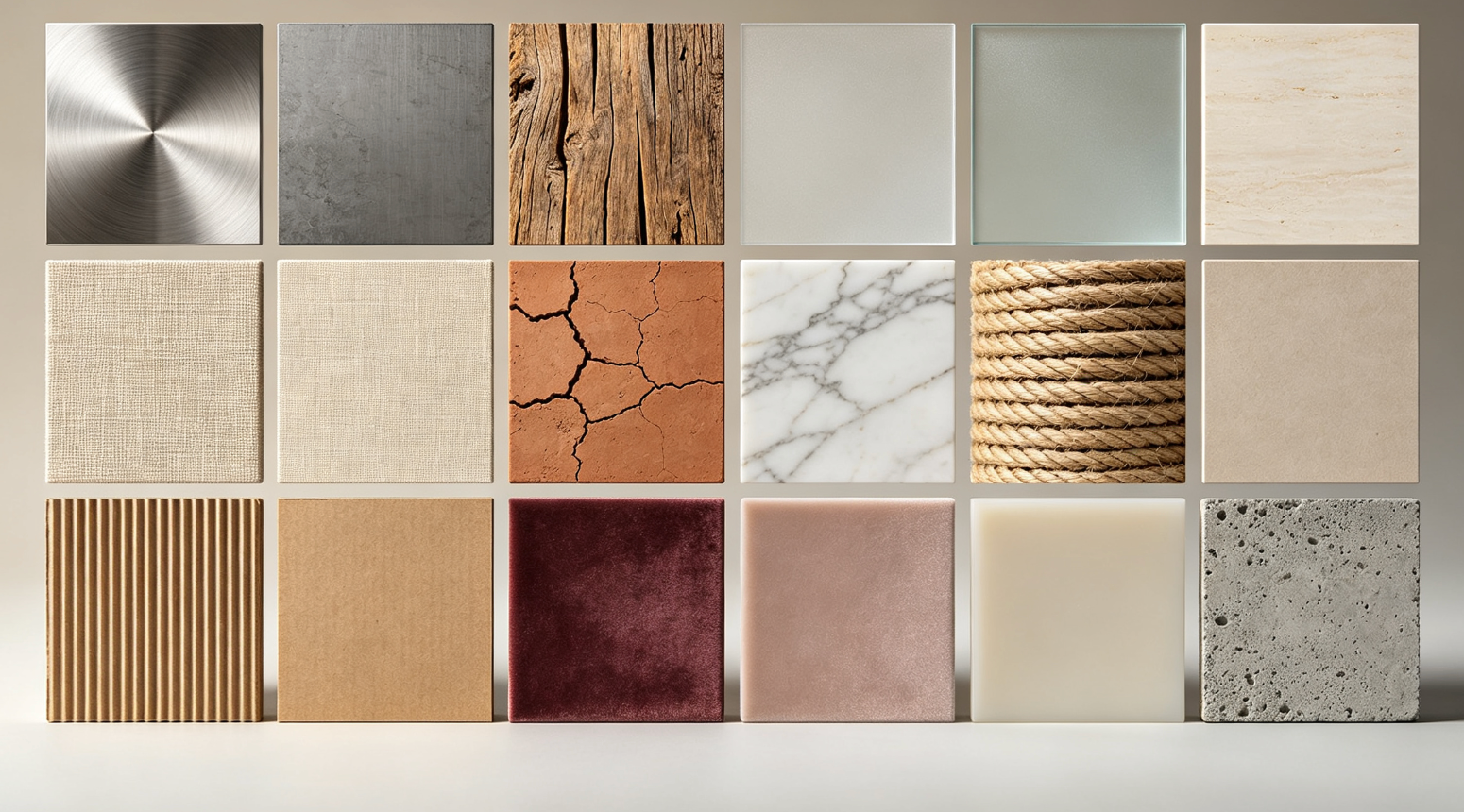
Why Texture Control Matters in Midjourney
Precise texture control separates generic AI images from photorealistic, tactile visuals. This step-by-step guide walks you through 12 high-demand surface qualities — each with a tested, modular prompt formula you can adapt instantly.
How to Use These Texture Formulas
- Start with your base subject (e.g., "a ceramic mug")
- Append the corresponding texture phrase (e.g., "--style raw --s 750")
- Adjust
--stylize(50–1000) and--sfor realism vs. artistic interpretation - Add lighting cues like "studio lighting" or "soft backlight" for depth
12 Texture Styles + Copy-Paste Formulas
1. Brushed Metal
--texture brushed metal --ar 1:1 --v 6.6
2. Weathered Wood
--texture weathered pine grain --chiaroscuro lighting --s 800
3. Frosted Glass
--texture frosted glass surface --translucent --v 6.6
4. Woven Linen
--texture natural linen weave --macro shot --s 700
5. Matte Ceramic
--texture unglazed ceramic --soft diffuse light --style raw
6. Polished Marble
--texture veined Carrara marble --reflective sheen --v 6.6
7. Faux Leather
--texture distressed vegan leather --tactile detail --s 900
8. Knit Wool
--texture hand-knit wool texture --close-up --style raw
9. Oxidized Copper
--texture verdigris copper patina --moisture effect --v 6.6
10. Satin Silk
--texture iridescent satin silk --directional lighting --s 750
11. Cracked Concrete
--texture weathered concrete with hairline cracks --gritty realism --style raw
12. Glossy Enamel
--texture high-gloss enamel finish --specular highlight --v 6.6
| Feature | Benefit |
|---|---|
| Modular syntax | Swap textures without rewriting full prompts |
| V6.6 optimized | Leverages latest texture-aware rendering |
| Stylize-tuned values | Balances fidelity and artistic coherence |
Pro Tips for Consistent Results
- Always use
--style rawfor maximum texture fidelity (except when stylization enhances material intent) - Pair texture terms with physical descriptors: "rough", "gritty", "lustrous", "dull"
- For macro-level detail, add
--zoom 2after initial generation - Avoid conflicting modifiers (e.g., "glossy" + "matte") unless intentionally juxtaposing surfaces
Quick Takeaways
Prerequisites and setup
To apply these texture formulas effectively, you’ll need access to Midjourney v6.6 (or later) via Discord or the official web interface. Ensure your account has Fast GPU time enabled—texture-rich renders demand higher compute resources, especially when combining --s 900, macro modifiers, or --zoom. No third-party plugins or upscalers are required, but avoid legacy --v 5.2 or --niji modes: they lack the surface-aware diffusion architecture needed for accurate grain, patina, and subsurface scattering simulation.
Your Midjourney subscription must support raw style rendering (--style raw) and high stylize values (up to 1000). Free-tier users will hit hard limits on --s and --zoom; upgrade to Standard or Pro for reliable output consistency. If you're using a custom tile grid or multi-prompt syntax (e.g., /imagine prompt A ::2 prompt B ::1), isolate texture parameters in the primary clause—Midjourney prioritizes the first --texture flag and may ignore secondary ones.
Extended prompt workflow
- Anchor with physical context: Begin not just with “a ceramic mug”, but how it exists in space:
"a matte ceramic mug resting on a sunlit oak countertop, steam rising"— this grounds lighting, scale, and ambient interaction before texture is applied. - Inject the texture formula after subject + context, but before camera or lighting modifiers:
"a matte ceramic mug resting on a sunlit oak countertop, steam rising --texture unglazed ceramic --soft diffuse light --style raw". Placing--texturemid-prompt ensures Midjourney parses material intent before interpreting light behavior. - Refine realism with targeted overrides: If the first render shows uneven glaze instead of true matte absorption, add
--no gloss --no shineto suppress unintended reflectivity. For brushed metal that reads too uniform, insert--chaos 35to reintroduce subtle directional variation in grain alignment. - Validate depth with zoom + detail boost: Run
--zoom 2on your top result, then append--detail 85(not--stylize) to sharpen micro-texture without distorting surface continuity. Avoid--q 2here—it over-sharpens edges and flattens tactile nuance. - Cross-check against real-world references: Pull a photo of actual oxidized copper or woven linen into your workflow. Compare specular highlights, shadow falloff, and edge softness—not just color. If your render’s verdigris looks plasticky, lower
--sfrom 900 to 750 and add--wet surfaceto simulate moisture retention in patina cracks.
Common mistakes
- Overloading modifiers: Adding
--style raw --s 900 --v 6.6 --zoom 2 --detail 90in one go often triggers Midjourney’s internal parameter conflict resolution, silently dropping--detailor clamping--s. Fix: Build incrementally—generate at--s 750first, then--zoom 2, then--detail 80on the upscaled image. - Using generic texture terms: “Metal” or “wood” alone yields inconsistent results; Midjourney interprets “metal” as chrome unless qualified. Fix: Always specify type + finish + condition:
brushed titanium,reclaimed barn wood,salt-corroded aluminum. - Ignoring lighting-texture interdependence: A
--texture frosted glass surfaceunder harsh studio lighting creates unrealistic glare artifacts. Fix: Match lighting to material physics—frosted glass needs--diffuse backlight, satin silk demands--directional lighting, and cracked concrete requires--low-angle overcast.
Try this in MidassAI
MidassAI Studio streamlines this entire workflow by converting Midjourney’s manual parameter stacking into intuitive sliders and presets. Paste any of the 12 texture formulas directly into the prompt bar, then use the Material Fidelity slider (instead of guessing --s values) and toggle Lighting Presets like “Diffuse Matte” or “Specular Accent” with one click—no syntax memorization needed. The platform auto-detects texture keywords (linen, verdigris, knit) and pre-loads optimized v6.6 rendering profiles, cutting iteration time by ~60%. Test it now with your favorite formula: Launch MidassAI Studio and generate your first texture-accurate image in under 90 seconds.