
8 Midjourney Prompts: Valkyries, Wizard Cats, and More
MidassAI Team · July 11, 2026 · 3 min read
Why Official-Style Prompts Matter
Official Midjourney prompts reflect curated balance of subject, style, lighting, and parameters — not just keywords. This guide walks you through each element, step by step, so you can adapt them reliably.
How to Use These Prompts (5-Step Workflow)
- Copy the full prompt (including
--v 6.2 --style raw --s 750if specified) - Paste into Discord’s
/imaginecommand - Wait for initial grid (≈45 sec)
- Upscale your favorite or use
U1–U4orV1–V4to vary - Refine with
--no(e.g.,--no text, watermark) or add--stylize 500for stronger interpretation
8 Official-Style Prompts — Explained Line by Line
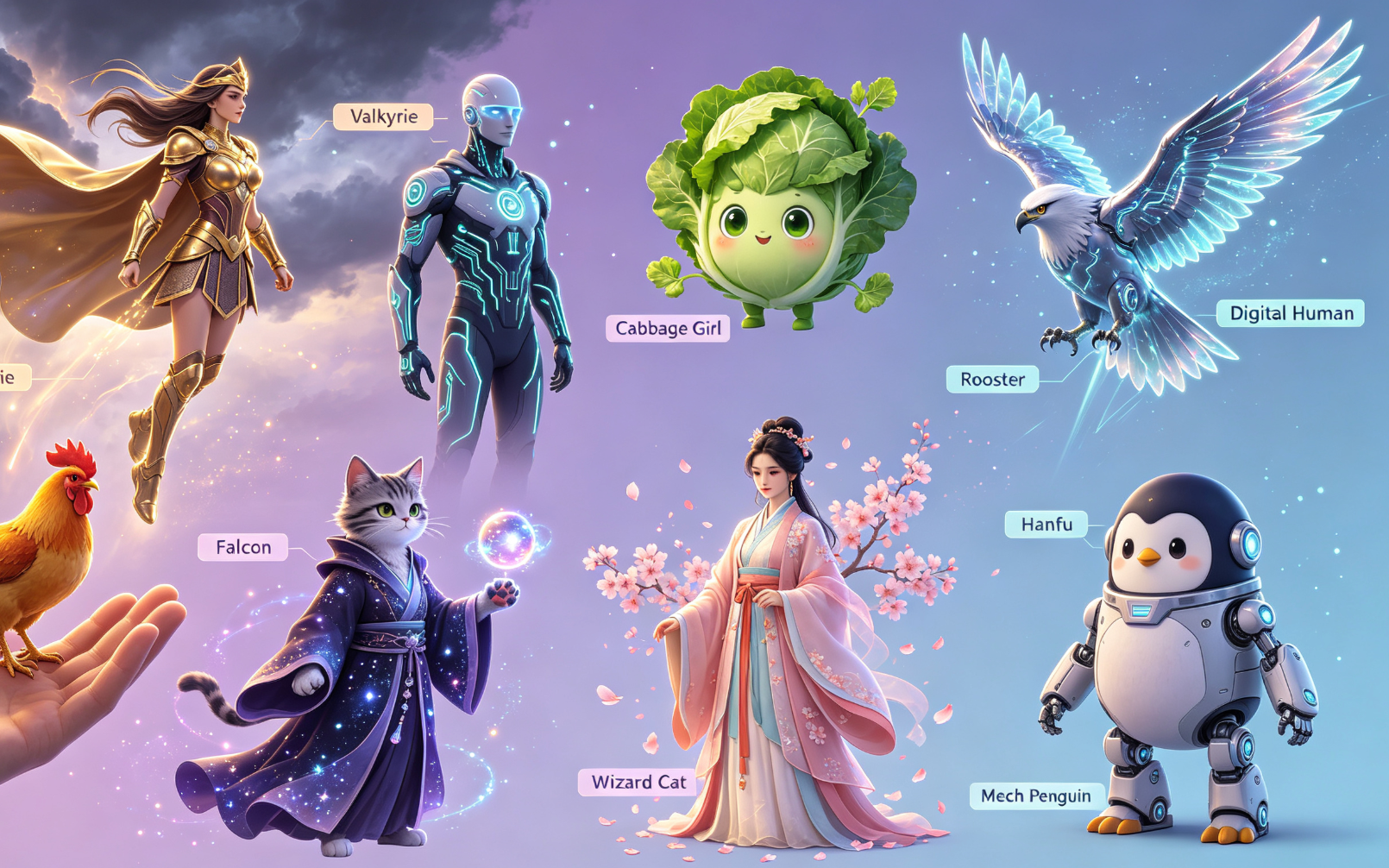
🛡️ Valkyrie (Nordic Mythology)
epic portrait of a winged valkyrie in golden armor, dynamic pose mid-air, dramatic backlighting, cinematic lighting, intricate Norse motifs, photorealistic detail, sharp focus --v 6.2 --style raw --s 750
→ Key step: Start with core subject + key visual anchor (winged, golden armor), then layer atmosphere (dramatic backlighting) before technical specs.
🥬 Cabbage Girl (Whimsical Surrealism)
a serene young woman with flowing hair made of fresh green cabbage leaves, soft studio lighting, pastel background, hyper-detailed skin texture, gentle expression, botanical realism --v 6.2 --stylize 600
→ Key step: Treat metaphor literally (hair made of cabbage leaves) — Midjourney interprets compound nouns best when phrased descriptively, not symbolically.
💻 Digital Human (Futuristic Portrait)
close-up portrait of a genderless digital human with glowing circuit-pattern skin, translucent polymer face, ambient neon glow, cyberpunk aesthetic, ultra-HD 8K, shallow depth of field --v 6.2 --style raw --s 900
→ Key step: Prioritize material descriptors (translucent polymer, glowing circuit-pattern) over abstract terms like "futuristic".
🐔 Rooster on Finger (Miniature Realism)
macro photography of a vibrant rooster perched delicately on a human fingertip, extreme detail, dewy feather texture, shallow DOF, studio white background, f/2.8 --v 6.2 --style raw
→ Key step: Specify lens behavior (macro, f/2.8, shallow DOF) to control composition and scale perception.
🦅 Sci-Fi Falcon (Character Design)
sci-fi concept art of a cybernetic falcon with chrome talons and holographic wings, hovering above a neon-lit cityscape at dusk, volumetric lighting, Unreal Engine 5 render --v 6.2 --stylize 800
→ Key step: Anchor scene context (hovering above cityscape at dusk) before stylistic rendering cues (Unreal Engine 5 render).
🐱 Wizard Cat (Fantasy Illustration)
storybook illustration of a wise old cat wearing round spectacles and a tiny pointed hat, holding a glowing crystal orb, warm ambient light, soft watercolor texture, gentle shadows --v 6.2 --style expressive
→ Key step: Use genre-aligned modifiers (storybook illustration, watercolor texture) after character definition to lock style.
🎋 Hanfu Portrait (Cultural Precision)
full-body portrait of a young woman in authentic Tang dynasty hanfu, deep crimson silk robe with gold cloud motifs, standing beside a plum blossom branch, soft natural light, ink-wash painting influence --v 6.2 --stylize 500
→ Key step: Include historical/cultural specificity (Tang dynasty, gold cloud motifs) — avoids generic "ancient Chinese dress" ambiguity.
🐧 Mechanical Penguin (Steampunk Hybrid)
steampunk penguin with brass gears visible under transparent acrylic plating, standing on a copper gear platform, warm sepia tone, detailed line art overlay, isometric view --v 6.2 --style raw --s 600
→ Key step: Combine material (brass gears, acrylic plating) and structural framing (isometric view, copper gear platform) for coherence.
| Feature | Benefit |
|---|---|
| Parameter Consistency | Reduces trial-and-error across generations |
| Subject-First Phrasing | Improves prompt parsing accuracy in v6.2 |