
Midjourney 貼圖提示指南:12 種質感風格與即用公式
MidassAI Team · 2026年7月11日 · 9 min read
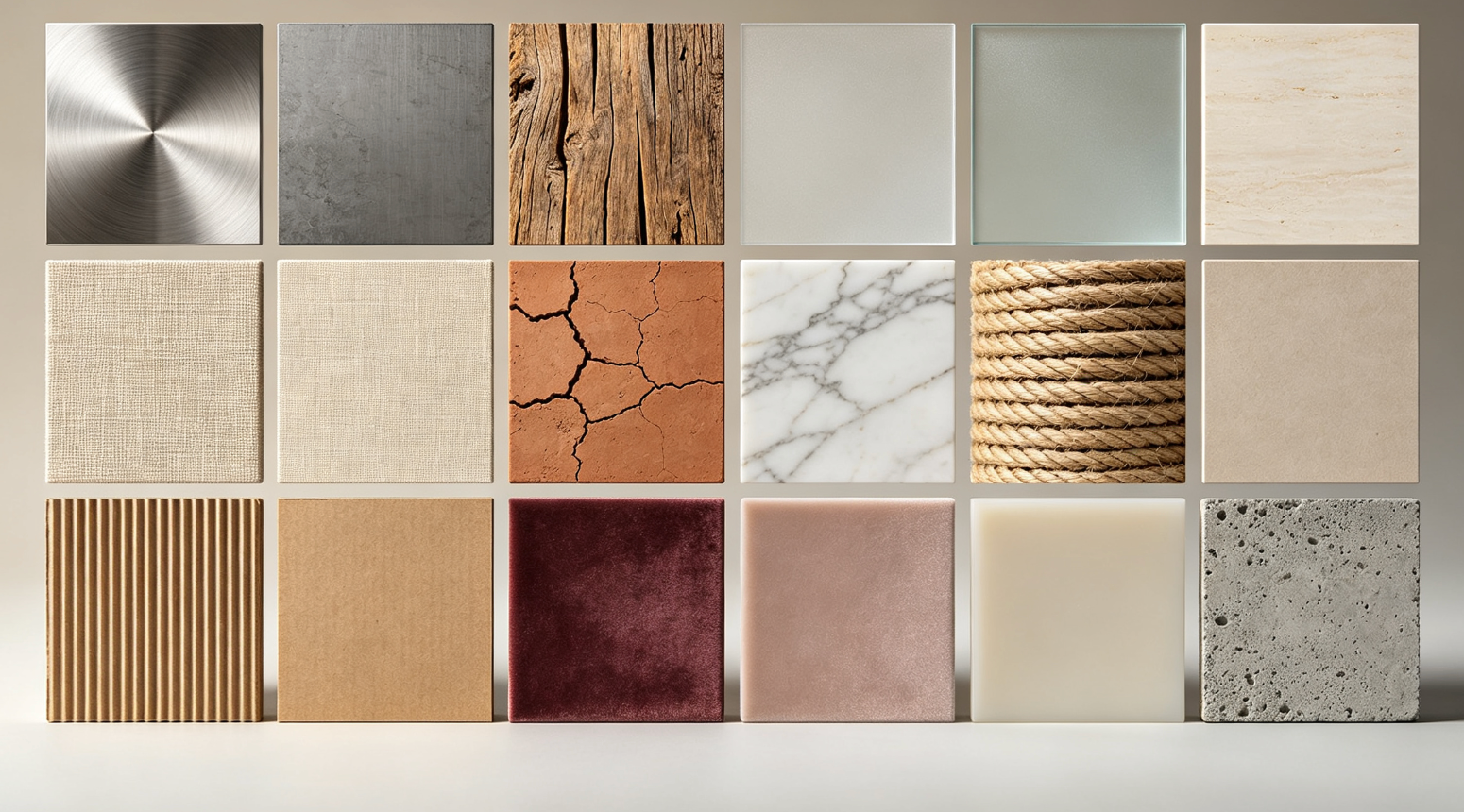
為何質感控制在 Midjourney 中至關重要
精準掌控質感能將泛用型 AI 圖像,轉化為具攝影級真實感與觸覺細節的視覺作品。本分步指南深入解析 12 種高需求表面質感,每種皆附經實測、模組化的提示公式,可立即套用並靈活調整。
如何使用這些質感公式
- 從基礎主體開始(例如:「一個陶瓷馬克杯」)
- 接上對應的質感描述短語(例如:「--style raw --s 750」)
- 調整
--stylize(範圍 50–1000)與--s值,平衡寫實度與藝術詮釋風格 - 加入光線提示,如「攝影棚燈光」或「柔和背光」,強化立體深度
12 種質感風格 + 可複製貼上公式
1. 霧面金屬
--texture brushed metal --ar 1:1 --v 6.6
2. 風化木紋
--texture weathered pine grain --chiaroscuro lighting --s 800
3. 磨砂玻璃
--texture frosted glass surface --translucent --v 6.6
4. 手織亞麻
--texture natural linen weave --macro shot --s 700
5. 哑光陶瓷
--texture unglazed ceramic --soft diffuse light --style raw
6. 拋光大理石材
--texture veined Carrara marble --reflective sheen --v 6.6
7. 仿皮材質
--texture distressed vegan leather --tactile detail --s 900
8. 手編羊毛
--texture hand-knit wool texture --close-up --style raw
9. 氧化銅綠
--texture verdigris copper patina --moisture effect --v 6.6
10. 絲絨緞面
--texture iridescent satin silk --directional lighting --s 750
11. 龜裂混凝土
--texture weathered concrete with hairline cracks --gritty realism --style raw
12. 高光琺瑯
--texture high-gloss enamel finish --specular highlight --v 6.6
| Feature | Benefit |
|---|---|
| Modular syntax | Swap textures without rewriting full prompts |
| V6.6 optimized | Leverages latest texture-aware rendering |
| Stylize-tuned values | Balances fidelity and artistic coherence |
穩定輸出進階技巧
- 儘量使用
--style raw以確保最高質感保真度(僅當風格化能強化材質意圖時例外) - 將質感詞彙搭配物理性描述詞:「粗糙」、「顆粒感」、「光澤」、「啞光」
- 若需微觀細節,可在初稿完成後加入
--zoom 2 - 避免相互衝突的修飾詞(例如「光亮」+「啞光」),除非刻意呈現異質表面拼接
Quick Takeaways
前置條件與環境設定
要有效運用上述質感公式,您需透過 Discord 或 Midjourney 官方網頁介面,取得 v6.6(或更新版本)權限。請確認帳號已啟用 Fast GPU 時間——富含質感的渲染對運算資源要求較高,尤其當同時使用 --s 900、微距修飾詞或 --zoom 時。無需第三方外掛或升頻工具,但請勿使用舊版 --v 5.2 或 --niji 模式:它們缺乏針對表面結構的擴散架構,無法精準模擬紋理、銅綠與次表面散射效果。
您的 Midjourney 訂閱方案必須支援 raw 風格渲染(--style raw)及高 stylize 值(最高至 1000)。免費方案使用者會在 --s 與 --zoom 上遭遇嚴格限制;建議升級至 Standard 或 Pro 方案,以確保輸出品質穩定一致。若您使用自訂平鋪網格或多重提示語法(例如 /imagine prompt A ::2 prompt B ::1),請務必將質感參數置於主提示子句中——Midjourney 僅優先採納第一個 --texture 標籤,後續標籤可能被忽略。
擴充提示工作流程
以物理情境錨定畫面:不要只寫「一個陶瓷馬克杯」,而應明確其空間存在狀態:「一個啞光陶瓷馬克杯靜置於陽光灑落的橡木流理台上,縷縷熱氣上升」——此舉能提前建立光源、比例與環境互動關係,再疊加質感。
質感公式插入位置關鍵:須置於「主體+情境」之後、「鏡頭或光線修飾詞」之前。範例:「一個啞光陶瓷馬克杯靜置於陽光灑落的橡木流理台上,縷縷熱氣上升 --texture unglazed ceramic --soft diffuse light --style raw」。將
--texture置於提示中段,可確保 Midjourney 先理解材質意圖,再解讀光線行為。以目標化覆蓋提升寫實度:若首稿呈現不均勻釉面而非真實啞光吸光效果,可加入
--no gloss --no shine抑制非預期反光;若霧面金屬過於均一,則插入--chaos 35重現紋理方向性的微妙變化。以縮放+細節增強驗證深度:對最佳結果執行
--zoom 2,再附加--detail 85(非--stylize)以強化微質感,同時不破壞表面連續性。請避免在此階段使用--q 2——它會過度銳化邊緣,壓平觸覺層次。對照現實世界參考素材:將真實氧化銅或手織亞麻照片納入創作流程。比對重點不在顏色,而在鏡面高光分布、陰影衰減曲線與邊緣柔化程度。若生成的銅綠質感過於塑膠感,可將
--s從 900 降至 750,並加入--wet surface模擬銅綠裂縫中殘留的濕潤感。
常見錯誤排除
參數過載:一次性加入
--style raw --s 900 --v 6.6 --zoom 2 --detail 90,常觸發 Midjourney 內建參數衝突處理機制,導致--detail被靜默忽略或--s被自動截斷。解決方式:逐步疊加——先以--s 750產出初稿,再執行--zoom 2,最後於放大圖上追加--detail 80。使用過於籠統的質感詞:單獨使用「金屬」或「木材」會導致結果不穩定;Midjourney 預設將「金屬」解讀為鍍鉻效果。正確做法:務必同時指定「類型+表面處理+狀態」:
霧面鈦合金、回收穀倉木、鹽蝕鋁材。忽略光影與質感的物理依存關係:在強烈攝影棚燈光下使用
--texture frosted glass surface,易產生不自然眩光。修正方式:依材質物理特性匹配光線——磨砂玻璃適用--diffuse backlight,緞面絲綢需--directional lighting,龜裂混凝土則應搭配--low-angle overcast。
在 MidassAI 中立即試用
MidassAI Studio 將 Midjourney 繁瑣的手動參數堆疊,轉化為直覺式滑桿與預設檔,全面簡化此工作流程。您可直接將本指南中任一質感公式貼入提示欄,接著透過「材質保真度」滑桿(取代盲目試調 --s 數值),並一鍵切換「漫射啞光」或「鏡面強調」等光線預設——完全無需記憶語法。平台會自動偵測質感關鍵字(如 linen、verdigris、knit),並預載最佳化 v6.6 渲染設定檔,縮短反覆嘗試時間約 60%。立即用您最愛的公式體驗:啟動 MidassAI Studio,90 秒內產出首張質感精準圖像。